
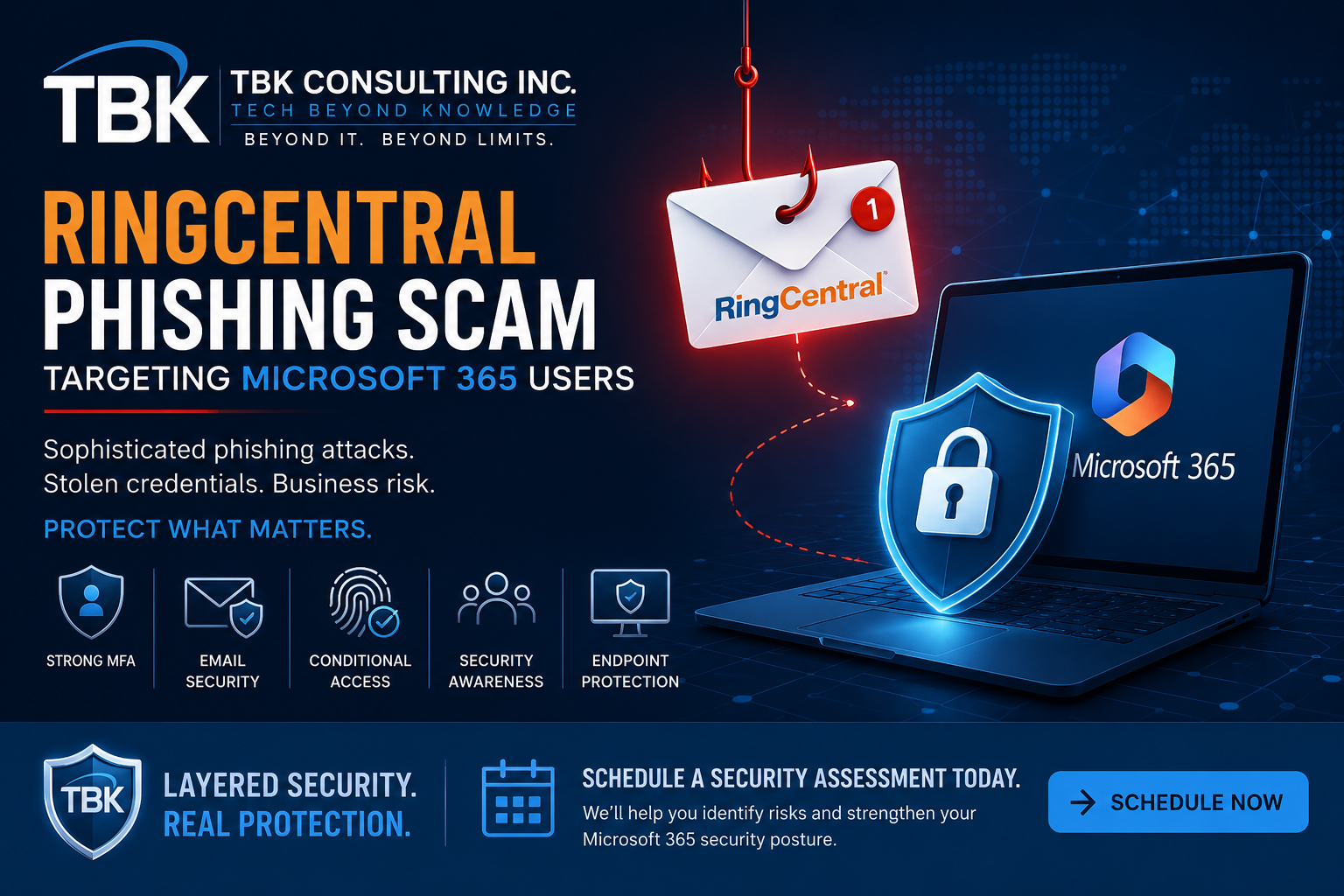
If your business uses RingCentral and Microsoft 365, there’s a new phishing threat you should be aware of.
Cybercriminals are using convincing RingCentral-themed emails and voicemail notifications to trick employees into clicking malicious links and entering their Microsoft 365 credentials.
These attacks are particularly concerning because they can use sophisticated techniques designed to capture authentication information—even when Multi-Factor Authentication (MFA) is enabled.
For businesses that rely on Microsoft 365 for email, Teams, SharePoint, OneDrive, and other critical services, a compromised account can quickly become a serious cybersecurity incident.
How the RingCentral Phishing Scam Works
The attack starts with an email designed to look like a legitimate RingCentral notification.
The message may claim that you have:
- 📞 A new voicemail
- 📧 A missed call or message
- 🔔 An account notification
- 📄 A communication requiring your attention
- ⚠️ An account or service issue
The email may contain RingCentral branding, familiar language, and professional-looking graphics.
That’s what makes these attacks effective.
The recipient is encouraged to click a link to listen to a voicemail or review a message.
Instead of taking the employee to the legitimate RingCentral service, the link can redirect the victim to a fraudulent website designed to steal Microsoft 365 credentials.
Why This Phishing Attack Is So Effective
Phishing attacks work because they exploit something technology can’t completely eliminate:
Human trust.
Employees are accustomed to receiving automated notifications from applications they use every day.
A message saying:
“You have a new voicemail.”
doesn’t immediately sound suspicious.
An employee may click the link without thinking twice.
Cybercriminals understand this behavior and increasingly impersonate trusted services such as Microsoft 365, RingCentral, DocuSign, Adobe, payroll systems, banking platforms, and other business applications.
The objective isn’t necessarily to create a suspicious-looking email.
It’s to create an email that looks normal.
🔐 Isn’t Microsoft 365 MFA Supposed to Stop This?
MFA is one of the most important security controls a business can implement.
But MFA does not make phishing impossible.
Sophisticated phishing attacks can use techniques such as Adversary-in-the-Middle (AiTM) attacks to intercept authentication information or sessions between the victim and the legitimate authentication service.
This means a business shouldn’t think about security as:
Password + MFA = Protected
Instead, think about security as:
Identity + MFA + Conditional Access + Device Security + Email Security + Monitoring + User Awareness
Security needs layers.
What Happens When a Microsoft 365 Account Is Compromised?
A stolen Microsoft 365 account can give attackers access to considerably more than email.
Depending on the user’s permissions, attackers may attempt to access:
📧 Outlook
Read business correspondence, search historical email, or impersonate the employee.
💬 Microsoft Teams
Access conversations, files, and internal communications.
📁 SharePoint
Access corporate documents and shared information.
☁️ OneDrive
Access potentially sensitive business files.
📅 Calendar & Contacts
Gather information about customers, employees, vendors, and business operations.
💰 Financial Information
Search email for invoices, banking information, wire-transfer instructions, and other valuable data.
🎯 Additional Employees
Use the compromised account to launch convincing phishing attacks against coworkers and business partners.
A single compromised account can therefore become the starting point for a much larger attack.
🚩 Warning Signs of a RingCentral Phishing Email
Employees should be particularly cautious when receiving unexpected RingCentral notifications.
Look for:
- Unexpected voicemail notifications
- Urgent requests to review a message
- Links asking you to sign into Microsoft 365
- Unusual sender addresses
- Suspicious link destinations
- Unexpected requests for passwords
- Messages containing unusual spelling or formatting
- Login pages reached through an email link
- Requests to approve unexpected MFA prompts
And remember:
A professional-looking email does not mean the email is legitimate.
🛡️ How to Protect Your Business
A strong Microsoft 365 security strategy should include multiple layers.
1. Use Strong MFA
Every Microsoft 365 user should have MFA enabled.
Where possible, businesses should consider moving toward phishing-resistant authentication, such as passkeys or FIDO2 security keys.
2. Implement Conditional Access
Microsoft Entra Conditional Access can help organizations control when and how users access Microsoft 365.
Policies can evaluate factors such as:
- User risk
- Sign-in risk
- Device compliance
- Location
- Application
- Authentication method
This creates additional protection when a username and password are compromised.
3. Strengthen Microsoft 365 Email Security
Businesses should review their Microsoft 365 security configuration, including:
- Anti-phishing policies
- Anti-spam policies
- Impersonation protection
- Safe Links
- Safe Attachments
- Spoof intelligence
- Microsoft Defender protections
- External sender controls
4. Configure SPF, DKIM & DMARC
Email authentication technologies help organizations protect their domains from spoofing and impersonation.
Businesses should review their:
SPF → DKIM → DMARC
configuration and ensure it is properly implemented and monitored.
5. Train Employees
Technology isn’t enough.
Employees need to know what phishing looks like and, more importantly, what to do when they encounter it.
Security awareness training should cover:
- Phishing emails
- Fake Microsoft login pages
- MFA fatigue attacks
- Suspicious voicemail notifications
- Credential theft
- Business email compromise
- Malicious links
- OAuth/application consent attacks
- Social engineering
Regular phishing simulations can also help measure employee awareness.
🚨 What Should You Do If Someone Clicked?
If an employee clicked a suspicious RingCentral email, don’t assume everything is okay.
If they entered their Microsoft 365 credentials, contact your IT provider or cybersecurity team immediately.
Potential response actions may include:
- Resetting the user’s password
- Revoking active sessions
- Reviewing Microsoft 365 sign-in activity
- Reviewing MFA methods
- Checking mailbox forwarding rules
- Reviewing inbox rules
- Checking for suspicious application permissions
- Reviewing OAuth consent
- Checking sent email
- Investigating SharePoint and OneDrive activity
- Checking for additional compromised accounts
- Determining whether sensitive information was accessed
Changing the password alone may not be sufficient.
A proper investigation should determine whether an attacker obtained an active session, created persistence, or accessed other Microsoft 365 resources.
🧠 The Bigger Lesson: Phishing Is a Business Risk
The RingCentral phishing campaign is another reminder that cybersecurity isn’t simply an IT issue.
A successful phishing attack can potentially lead to:
- Data theft
- Business email compromise
- Financial fraud
- Ransomware
- Identity theft
- Customer notification requirements
- Regulatory obligations
- Business interruption
- Reputational damage
For many organizations, the cost of preventing an attack is significantly less than the cost of responding to a successful breach.
TBK’s Approach to Microsoft 365 Security
At TBK Consulting Inc., we believe cybersecurity should be proactive—not something your business thinks about after an employee clicks the wrong link.
Our approach combines technology, people, processes, and ongoing monitoring.
TBK Cybersecurity Services Can Include:
🔐 Microsoft 365 Security
Protect Microsoft 365 identities, email, applications, and data.
📧 Email Security
Reduce phishing, spoofing, malware, and business email compromise risks.
👥 Security Awareness Training
Teach employees how to identify and respond to modern phishing attacks.
🛡️ Managed Cybersecurity
Proactively monitor and protect business technology.
💻 Endpoint Protection
Help detect and respond to suspicious activity on business devices.
☁️ Microsoft 365 Protection
Protect critical cloud applications and business data.
🔄 Backup & Disaster Recovery
Prepare your business to recover when security controls fail.
📋 Cybersecurity & Compliance
Help align your technology environment with applicable security and compliance requirements.
🚀 Don’t Wait for the Next Phishing Email
The question isn’t whether your employees will eventually receive a phishing email.
They will.
The question is:
What happens when someone clicks?
A strong cybersecurity strategy should assume that phishing attempts will get through and build layers of protection around your users, identities, devices, applications, and data.
Schedule a Security Assessment with TBK Consulting
Let TBK Consulting Inc. review your Microsoft 365 environment and identify potential weaknesses before a cybercriminal does.
We’ll help you evaluate:
✔ Microsoft 365 security
✔ MFA configuration
✔ Conditional Access
✔ Email security
✔ Phishing protection
✔ SPF, DKIM & DMARC
✔ User security awareness
✔ Endpoint protection
✔ Backup & recovery
✔ Cybersecurity & compliance gaps

Comments are closed